


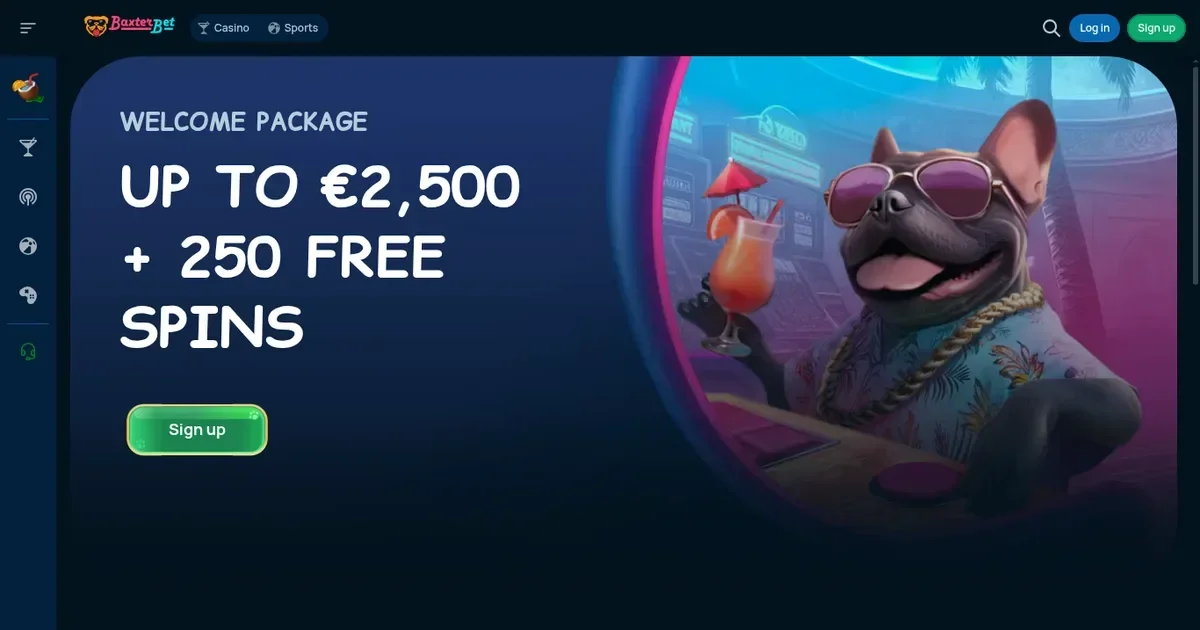
Before you play on mobile
Baxterbet runs as a Progressive Web App (PWA) rather than a traditional download from the App Store or Google Play. You reach the same casino and sportsbook from your phone's browser – Safari, Chrome, Firefox or Edge – with the option to save the site to your home screen for quicker access. The PWA functions like a standalone app without taking up significant storage space on iOS or Android devices.
Your account stays the same. Log in with the credentials you set up on desktop and you'll see your balance, bonus status and transaction history as you left them. The site adapts to the smaller screen automatically.
Good to know: A PWA needs an active internet connection to load – it's not a native app that caches content for offline use. On a patchy 3G signal or in an area with weak coverage, pages take longer to render and live dealer streams may buffer or drop.
How access works here
Getting to Baxterbet from a phone takes three steps:
- Open your mobile browser and navigate to the operator's domain.
- Tap the menu icon (three dots on Android, the share arrow on iOS) and select "Add to Home Screen".
- Confirm the shortcut – it appears on your phone alongside other apps, opening the site in a streamlined browser view with no address bar.
You're not installing a separate application. The PWA is the casino's website packaged to feel like an app, and it updates automatically when the operator pushes changes – no manual updates required. If you're already registered, log in as usual; new players tap the sign-up button and follow the same registration flow described on the main site.
The cashier and support on a phone
Baxterbet's mobile cashier supports the same deposit methods as the desktop version: Visa, Mastercard, cryptocurrency (BTC, ETH, USDT, DOGE, LTC), local banks via SEPA or SWIFT, Skrill, Neteller, PayPal and Jeton. The minimum deposit of €20 and the 0% deposit fee apply identically.
| Action | Where to find it |
|---|---|
| Deposit | Cashier menu, top-right corner – select your method and enter the amount |
| Withdraw | Same menu – minimum €50–€120 depending on method; processing takes up to 72 hours |
| Upload documents | Account settings, "Verification" tab – photo of ID, utility bill, and card copies required before first withdrawal |
| Contact support | Live chat icon (bottom-right) or email [email protected] – 24/7 availability |
Withdrawals follow the same rules: you must use the method you deposited with, and winnings over €10,000 may be divided into monthly instalments of up to €10,000. Bank transfers can incur intermediary charges limited to €16.
Worth remembering: the operator asks for verification documents on your first withdrawal request, and the KYC team reviews them within 48 hours. Uploading a photo of your ID from a phone camera is straightforward – make sure the document is well-lit and all four corners are visible in the frame.
What gets cramped on a small screen
Some features work better on a larger display. The split-screen option that lets desktop users play up to four games simultaneously isn't available on mobile – the screen real estate simply doesn't support it. Live dealer tables render in portrait mode, which crops the wide-angle studio view you'd see on a monitor.
The sportsbook's bet slip sits at the bottom of the screen and expands when tapped, but navigating deep menus – leagues within a sport, markets within a match – requires more scrolling than it would on desktop. If you're building an accumulator with events from different leagues, expect to jump between tabs.
Here's the thing: table limits and game contribution to wagering don't change, but reading the full bonus terms on a 6-inch screen means a lot of pinch-zooming. The mobile site doesn't reformat long legal paragraphs into a more digestible layout.
Staying in control on a device you always carry
A phone in your pocket makes it easier to play on impulse, which is exactly when responsible gambling tools matter most. Before you start a session, set your limits through the account menu: deposit caps, loss limits and session timers all work on mobile the same way they do on desktop.
- Check your connection – a dropped 4G signal mid-spin can leave a bet unresolved until you reconnect.
- Verify you're on the operator's own domain – phishing sites targeting mobile users are a known risk.
- Log out when you're done, especially on a shared or public device – the PWA saves your session like any browser would.
- Consider setting a session timer – it's easy to lose track of time when the casino is one tap away.
If you share a device with someone under 18, use your phone's built-in parental controls (Screen Time on iOS, Digital Wellbeing on Android) or install blocking software such as Net Nanny or Qustodio. Baxterbet's access is restricted to those aged 18 and over (18+).
Gambling should be entertainment, not something you do because your phone is in your hand.
Responsible gambling resources
If gambling ever stops feeling like fun, free confidential support is available through several UK organisations:
- GamCare – gamcare.org.uk; National Gambling Helpline: 0808 8020 133 (free, 24/7)
- BeGambleAware – begambleaware.org
- GamStop – gamstop.co.uk (free national self-exclusion across licensed sites)
- Gordon Moody – gordonmoody.org.uk (residential and online treatment)
Blocking software such as Gamban and BetBlocker (free, multi-platform) can restrict access to gambling sites across all your devices.
This page is for information and marketing purposes only. We are not a casino operator, a bookmaker or an organiser of gambling. Access to this content is restricted to persons aged 18 and over (18+). We encourage you to gamble responsibly – for free, confidential support visit BeGambleAware.org.